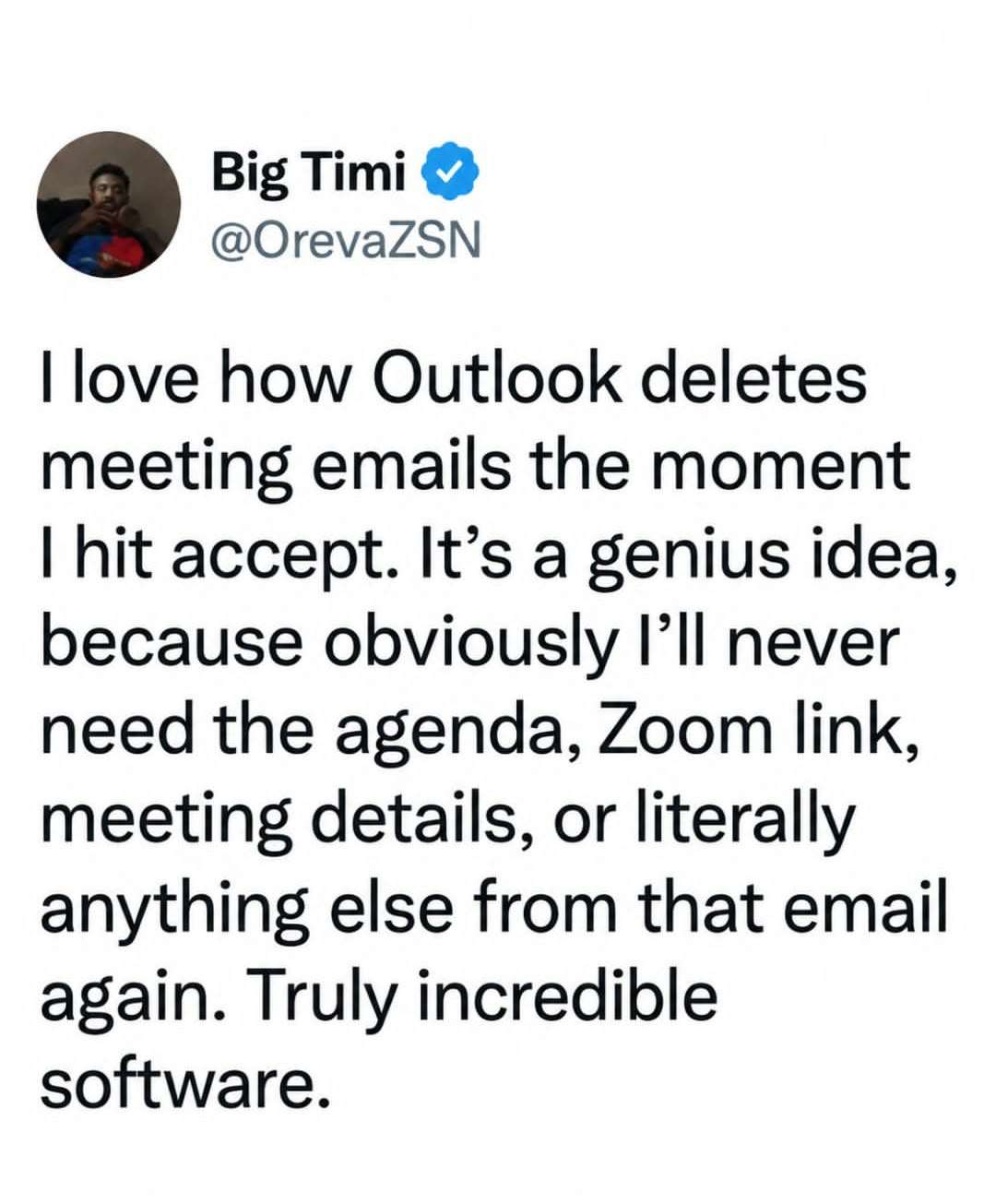
Doesn’t all that go to your calendar?
Yes but God forbid you forget when that meeting is or misremember any detail… good luck finding it in the calendar amongst the rest
You could, you know, check your calendar? Set reminders? Do anything at all that implies a minimum of competence?
Or, you know, the email could just not delete.
No, let’s continue to be a Microslop apologist. /s
That’s a setting.
Not anymore. It’s been deprecated, as insane as that sounds.
They’re “streamlining the user experience” by taking away all those confusing options and settings!
Eww… Fuckin Microsoft strikes again
Do you really have troubles with finding stuff in your calendar?
Imagine someone sends you an invite to a meeting a couple of weeks or months out. You accept. The next day you need to check something that was in that meeting invite. Fuck, was that meeting set in march or april? And what was it called? There are like three plausible names for it… Woldn’t it be nice to just scroll down to yesterdays emails and have it there?
Either treat invites as a message, or do some completely separate calendar-notification system. But the inbetween is kinda the worst of both worlds.
In a corporate role you can have hundreds of meetings a month. Yeah, they can get lost.
Especially when protocol is to add every meeting you receive to the calendar. It’s easy to miss stuff when you’ve got 8 triple booked meetings in a day and you only actually NEED to attend 1 in every 5 or so meetings.
Basically nobody has good hygiene when it comes to meetings, emails, or messages anymore “fuck it, I will send it to the whole team” - dumb assholes trying to look busy.
You have a good point that there needs to be a way to set priorities. For people with many meetings, responding as accept, reject, or tentative is not enough choices
One of the worst things about corporate roles is spending so long in meetings you cant actually action anything that comes up in the meetings.
As insane as my work calendar is, yes. I’ve accepted meetings and days later needed to go back to find the entry. Unless you memorize when they meeting was you’re going to have to find that manually. It’s a very avoidable inconvenience.
Check out this guy that has two meetings a week. And none of them have similar titles, attendees or anything.
Then they would be similar in mail form, wouldn’t they?
no, they could have been received different days, that is why losing them from inbox is a pain. It doesn’t happen when you are a junior/intern/small company, but in big companies you end up receiving a ton of invites, being able to easily access the one you accepted today, two hours ago or two days ago by reception date rather than meeting date is a huge help. You basically have an additional sorting of those invite emails.
to the point where I just don’t accept any to keep them in the inbox.
The fact that your particular use case doesn’t need this, doesn’t mean everyone else is doing it wrong. jeezz, the audacity of people… you must work for Microslop, they think exactly like you: “if I don’t need it, surely no one does, or they are doing something wrong”
yes. I have meetings for around a dozen projects at any week in time, and some people really suck at titling meetings.
“issues touchpoint” OKAY BUT FOR WHICH ISSUES ON WHICH PROJECT, JESSICA
OKAY BUT FOR WHICH ISSUES ON WHICH PROJECT, JESSICA
the one about titling meetings in emails properly.
Or just look at the original email if it didn’t get deleted?
Yes why not just do more work to compensate for MS mediocrity?! what a great idea!!!
I hate Microsoft and everything they stand for. I only use Linux on my private devices. But this particular issue is just a dumb thing to complain about.
The fact that you reference Linux in a discussion about Outlook makes me think you don’t know what you are talking about.
Have a good life
I’ve been using both Unix/Linux and Windows with Outlook for longer than most people here have been around. So yeah, Totes McGoats, my friend.
It is not unusual at all for me to get invites for meetings that will occur several quarters out. Also, quite a few of my invites contain agendas, “action items” and other bullshit that calls for thorough preparations that are impossible to finish 15 minutes in advance when the reminder comes on.
Don’t you check upcoming meetings? Such as at the beginning of the day?
Once accepted, why would you care when any specific meeting is, just which ones are coming soon?
Granted I track things requiring significant effort through other mechanisms, so my meeting prep is more typically checking statuses and collecting data/summaries
You are sadly wasting perfectly good words.
Most people still don’t even understand the difference between SharePoint and onedrive. You know, concepts that have existed for more than a decade? Outlook has been around longer and look how many people are clueless about how it works and incurious to ever find out.
These are the people that still put all their shit in spreadsheets that they email as attachments. You know, morons.
Not everyone’s work lives are completely owned and controlled by their outlook calendar. Therefore, not everyone regularly checks their calendar, let alone remembers stupid quirks.

Bad design is a constant. So it is unfortunately your obligation to deal with it if you want the paycheck.
Now, at home, nothing from Microsoft is allowed to touch my computers.
Over 70 people here are idiots. It’s really not that big a fucking deal. Meeting invites sitting in inbox are just noise, and can get outdated. Worst case scenario it’s in the trash bin. If the trash bin is good enough for pulling frozen food boxes for instructions it’s good enough for this.
Good luck searching in any Microsoft product without knowing the exactly named item.
Alternative would be not deleting it so you can sort by person if you remember who invited you.
So then you have to scroll through your calendar for the information instead of a simple search
Don’t forget the correlary. Cancelled meetings remain on your calendar and still trigger reminders and alerts until you manually delete it.
There’s also the problem where someone sends a reoccurring meeting, then leaves the company. The meeting can’t be removed. Ever.
I wish there was a way to decline only future occurrences, though. I don’t want to remove the previous meetings.
There used to be, I’m not kidding. I remember it still being around win 8. You could choose to respond to the specific meeting, the whole series, or only future occurences.
It was very useful, so of course Microsoft removed it
It was very useful, so of course Microsoft removed it
Classic Microsoft.
Oh man, I’d love to do something like this before being shit-canned. Just a little parting gift to remember me by.
Can’t you just reset their password, log in as them, and cancel it?
For anyone genuinely struggling with this: There’s a setting in the Outlook options that will keep the invite in your inbox after you accept it.
I don’t have access to Outlook anymore so I can’t tell you where it is, sorry. It’s buried in that awful overwhelming interface somewhere, but hopefully knowing that it exists is a helpful starting point. Good luck.
Edit: Apparently they’ve removed this option in the “new” Outlook, my condolences if you’re using that one.
Outlook also embeds the contents of the email into the calendar event. All of that information is preserved and can be accessed by double-clicking on the event in the calendar.
Clearly most of the people in this thread don’t want to scroll forward in a calendar to find what was easily accessible a moment ago. It should exist in the calendar and in the inbox. It’s an arbitrary quality of life issue, and they removed the ability for the users to decide for themselves if they can retain the message in their inbox.
Where is the event? There are hundreds of them and I have to find one I dont have the details for
Pretty awkward when you forget/can’t find the event date though. I’ve managed to create an event in the wrong year at least once.
Yea, I discovered this by … opening the event in Calendar
My work IT policy would not let me change that setting, infuriatingly. They said it was a money saving initiative to keep our inboxes small. This is necessary because we use MS Cloud services, which charges by the electron or something.
It’s worthwhile knowing that the calendar is just a view of a folder in an Exchange mailbox, and accepting just moves the item into the calendar folder.
As a former IT worker, i assure you that if its not on the chronological place of the inbox where it “always is”, it doesnt exist. Its bad user experience. Copy or link the details to the calendar instead, keep the message unless deleted manually.
I was going to say that. Not that I’m not above hating on the outlook, but the meeting details go into the calendar…
I love how the office homepage is now a portal to whatever their LLM is called. Who needs all their recent files and direct links to the software they use in a single view. What kind of idiot would want that. What a great company.
I hope to see them continue trashing their products. I encourage and cheer it on. This will be the only thing that will prompt people to use alternatives that are already out there
Microsoft has been trashing their own products since before you were born, but for some reason people keep using them…
… It goes into your calendar?
Also, if you are this brain-dead you can disable delete after accept, in settings
Then you find yourself remembering that you accepted what feels like it was an important meeting yesterday, but want to remember when and have a hard time finding it because you can’t quite recall enough searchable detail, but you know it came up yesterday.
This is why it doesn’t bother me. Once I’ve put it on my calendar, then I personally free up my own memory and forget it until the reminder.
We had a button for that: it’s called delete
I’d probably set up a rule, then it’s less clicking.
Yeah this is what I do in Thunderbird
And then you have to open calendar, find it among all te rest with whatever name, find the email l button in the expansed view and reply there if anything changes. It sucks.
The amount of people in this thread that have never had more than a couple meetings is shocking. Or meetings a few months out that get hidden by mundane things.
Having your chronologically ordered email tends to be easier to sort through than trying to remember the event name/date from a calendar invite.
Yeah my conclusion is that people just don’t know how to use calendars or threaded messages
or threaded messages
snort
If a thread I was on today is any indication, you look at the post on top, then sometimes the one at the bottom, and just for variety’s sake sometimes there’s a reply in the middle. All MS Outlook generated.
Not a huge fan of the threaded messages. Sometimes they get scrambled or buried by someone else’s reply(s) so that it takes more effort to find the message I need.
Search function only works if you know what you’re searching for.
Like it initially, but I prefer chronological ungrouped email at this point.
The guy forgot to look at the calendar?
The amount of interns/students commenting “its fine/skill issue”, shows the demographic of lemmy and how comfortable people are giving stupid opinions about problems they don’t have, but are apparently experts on.
To all of you: having the email both in inbox and calendar gives another sorting of the information, which is always a good thing. Some people might prefer removing the emails to “tidy up” inbox, but that shouldn’t make it the only option (because those people, other than OCD, probably don’t have more than 10 emails / day, with > 50 they would have give up on tidy)
Obligatory
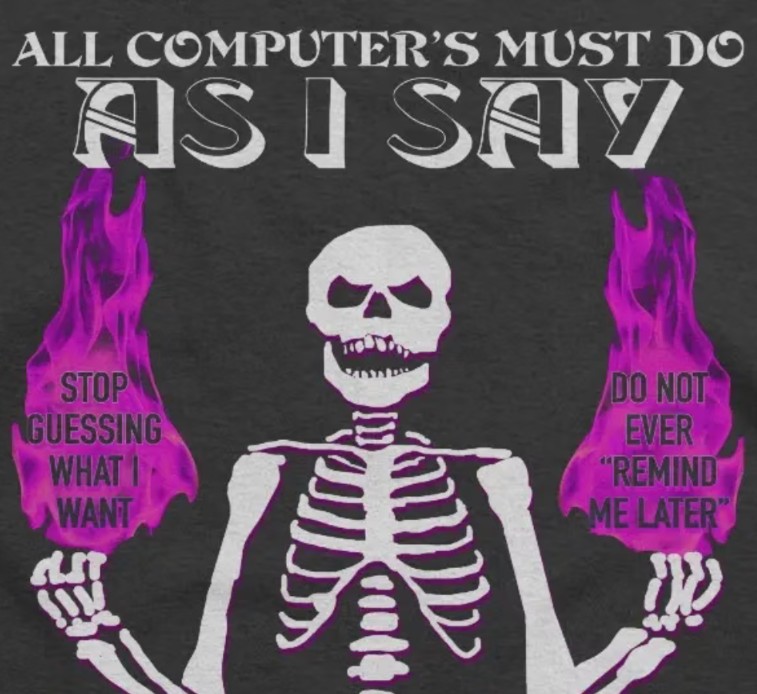
And that’s how I ended up moving from software that “knew better than me” and chose for me.
all software does stuff for you, that’s almost the definition
I know exactly what you mean! I used to call it “computer knows best”.
At home I avoid all MS products because CKB drives me nuts. At work, they tell me what software to use. :(
Number one reason I never accept meeting invites (I just decline if I can’t go), totally insane it works that way.
My email service just doesn’t have a calendar. Problem solved.
that moment when your boss rescheduled the meeting 10 times in a week.
I swear to god it felt like i was in Inception. The meeeting email looked so familiar and i remembered “accepted” it. Accepted and poof its gone
Yes because they want to remove the memories of all the trauma once you’ve made peace with it.